In addition to videos which you can pull into VideoMR directly from InterviewMR and SurveyMR 2.0 within InsightHub, you can now upload a video of your own from outside InsightHub onto VideoMR. To do this, just follow the steps below.
- Go to Back Room > Analysis Tools > VideoMR
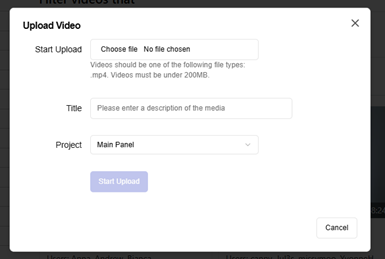
- In the top right-hand corner, click ‘Upload Video

NB: You can import up to 5GB of external video content.
- Select your file (this must be an mp4 type, with each file under 200MB in size)
- Add a title, and select the project which you’d like to upload your video to
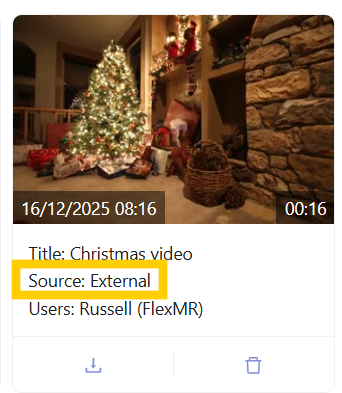
External videos uploaded to VideoMR are labelled as ‘external’ within the ‘source’ category in the video details:
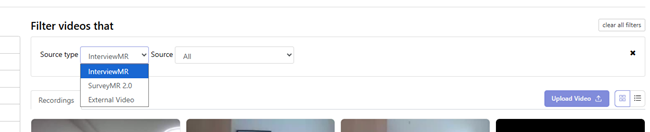
You can also use the ‘source type’ filter to show only videos from InterviewMR, SurveyMR 2.0, or External Video:
External Videos can be transcribed, clipped and added to montages. For further information on creating video clips and transcripts, see our dedicated Help Centre page - Creating VideoMR clips and transcripts